
Learn Korean smarter with Jaemy
Accurate Korean–Vietnamese lookup, translation, AI grammar checking, learning from PDF documents, TOPIK practice and flashcard review — all in one platform.
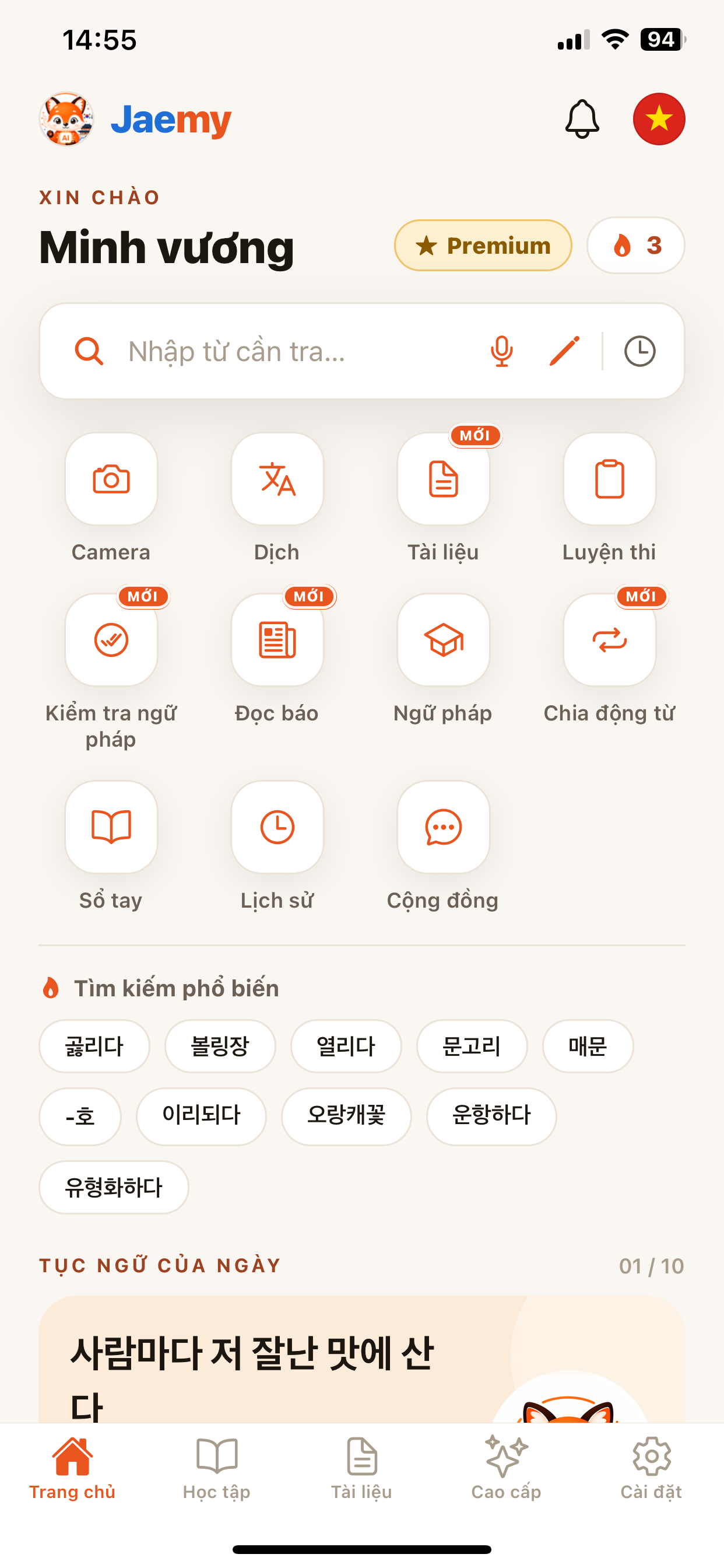
Everything you need to master Korean
Tap a feature to open it right away — or read the detailed how-to below.
Smart lookup
7 lookup modes: vocabulary, examples, grammar, Korean–Korean, Korean–English, open dictionary, images.
Text scan (OCR)
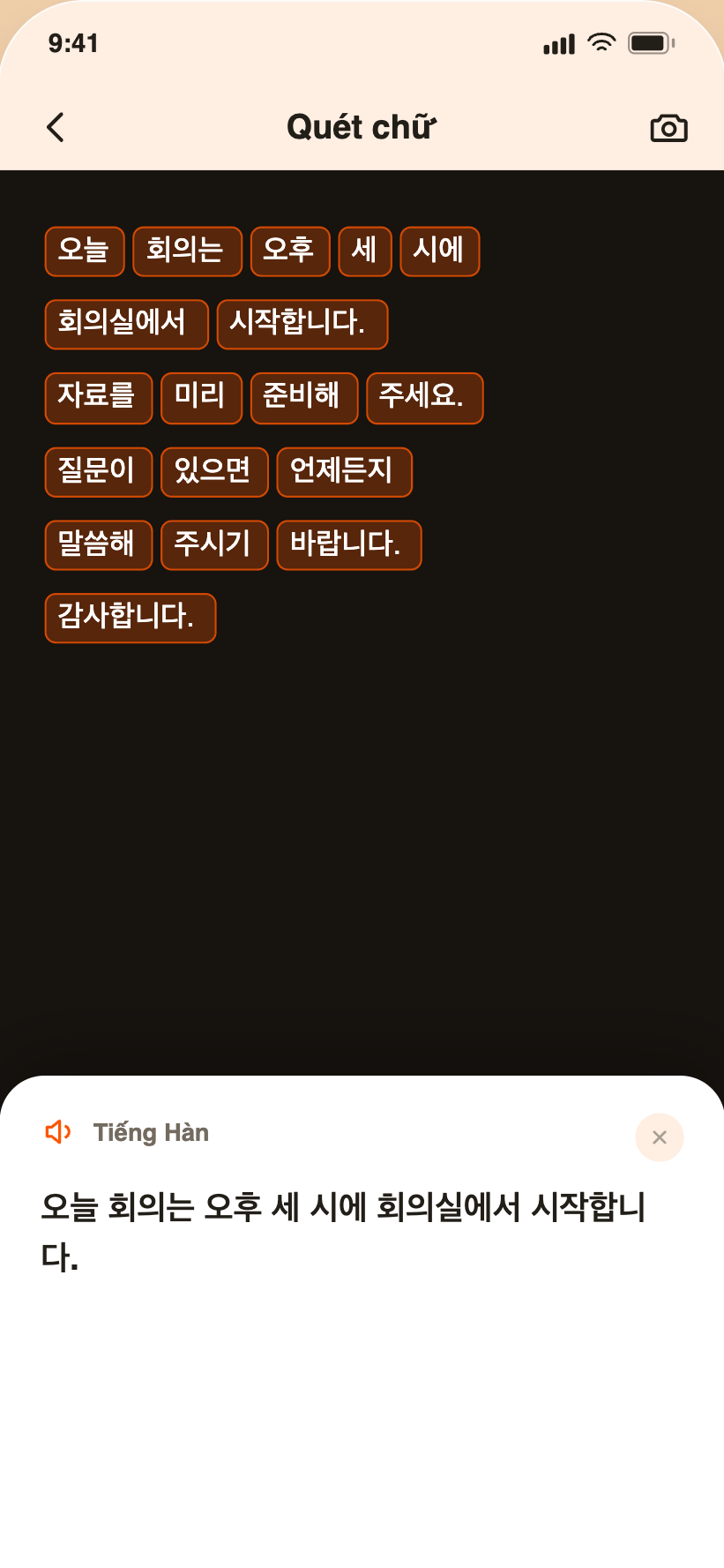
Enter words by camera, voice or handwriting Korean characters.
AppKorean ⇄ Vietnamese translate
Translate sentences and paragraphs, hear pronunciation and save history.
Grammar checker New
AI spots errors, suggests fixes and explains in detail.
AppLearn from documents New
Open a PDF, tap to translate, take notes and highlight right on the page.
AppTOPIK practice
Timed Listening & Reading mock tests, scored like the real thing.
Korean news reader New
Real articles, tap words to look up, listen and see vocabulary stats by level.
AppGrammar
Grammar patterns by level, mark your status, add personal notes.
Verb conjugation New
Full conjugation table across tenses and politeness levels, with audio.
Courses & Flashcards
Learn by level, review words with spaced-repetition flashcards (SRS).
Notebook
Save words into categorized notebooks, synced to the cloud.
History
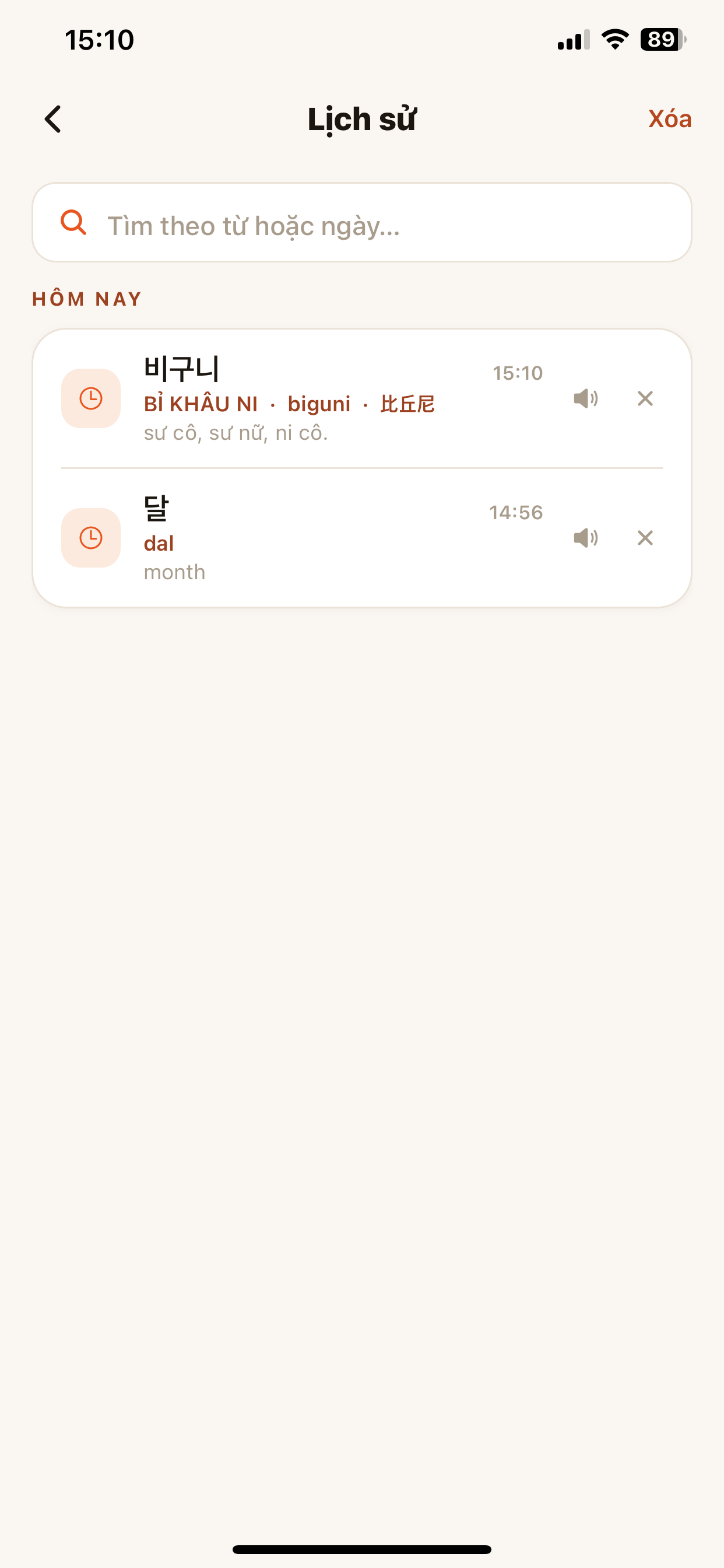
Revisit every word you looked up by date and replay pronunciation.
AppCommunity
Post, ask questions, follow and learn tips together with others.
Look up one word — grasp the whole meaning
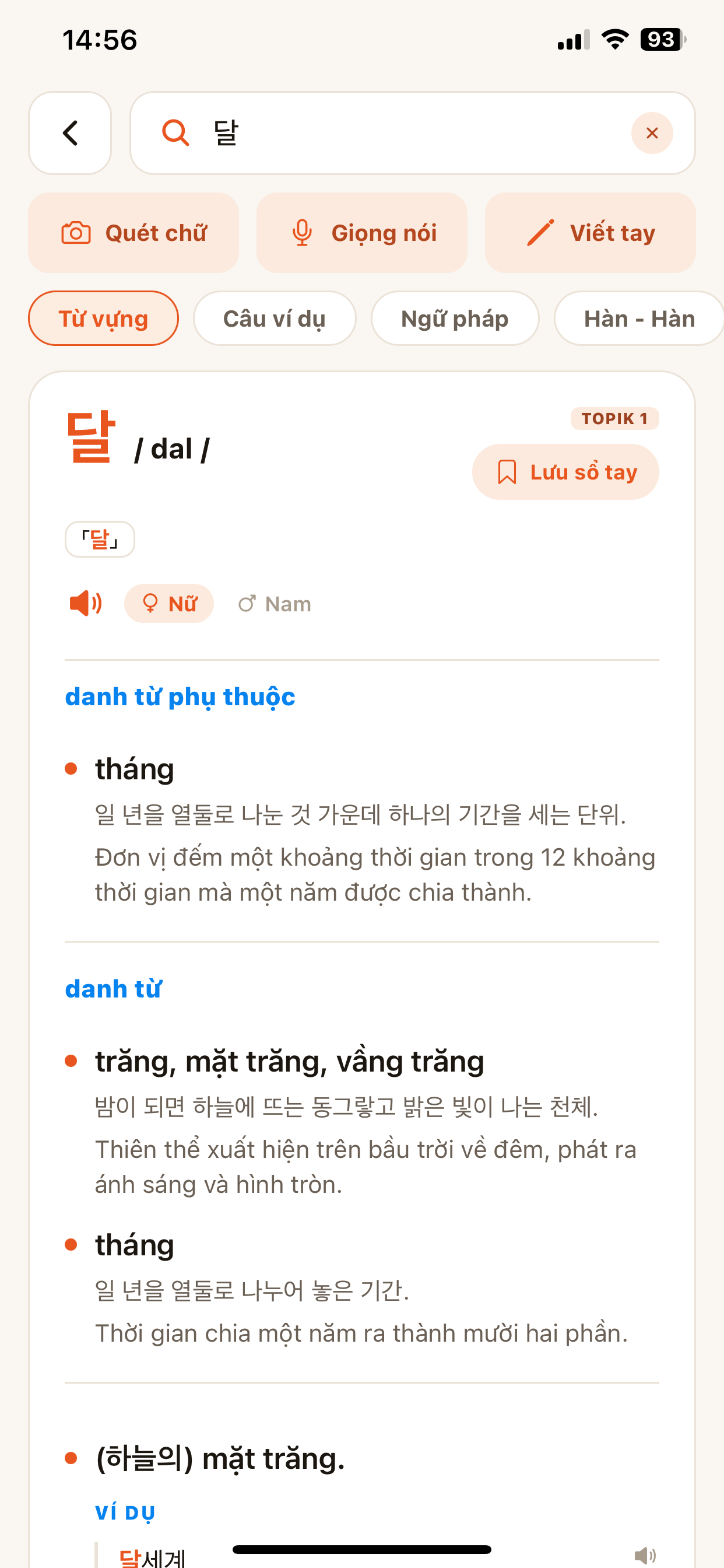
Every result includes romanization, TOPIK level, male/female pronunciation and 7 information tabs.
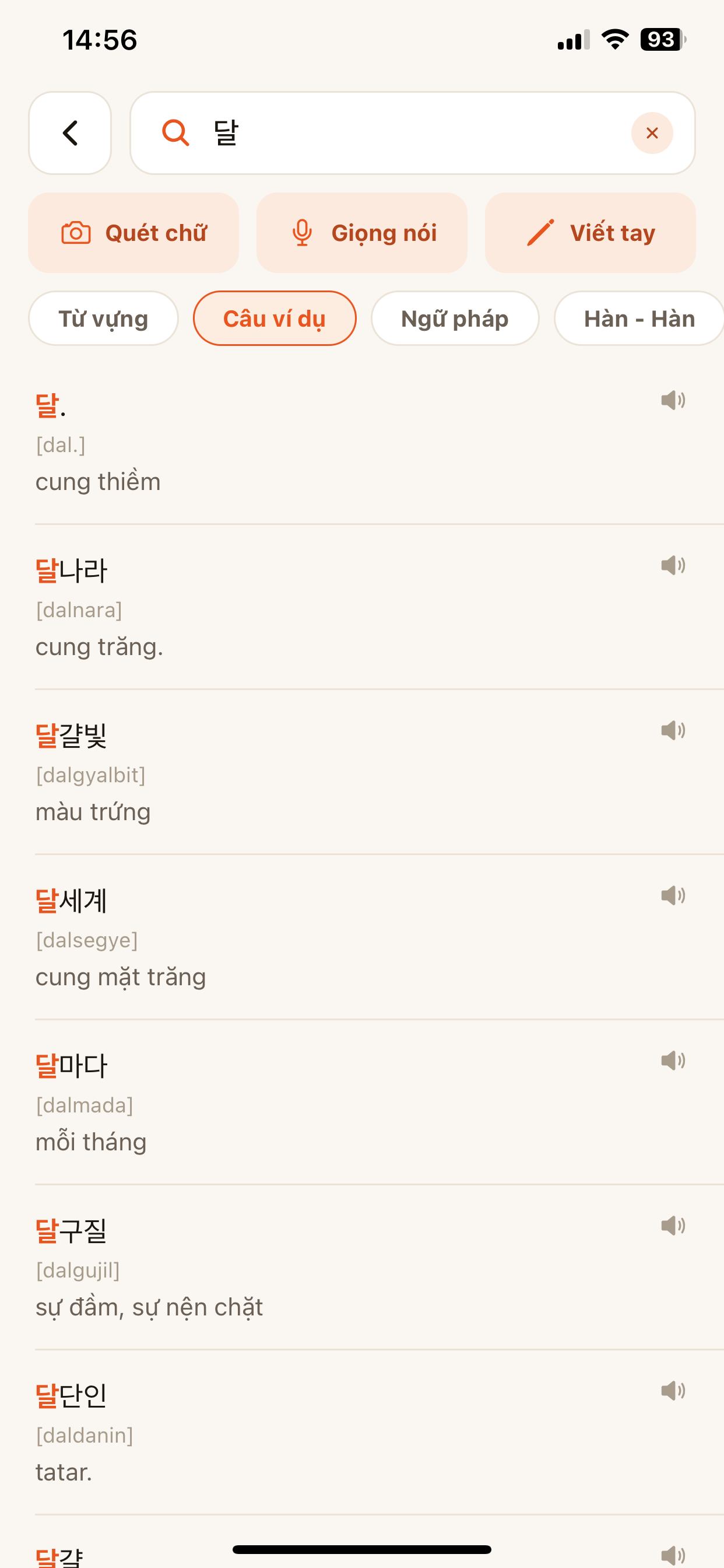
7 lookup modes in a single search
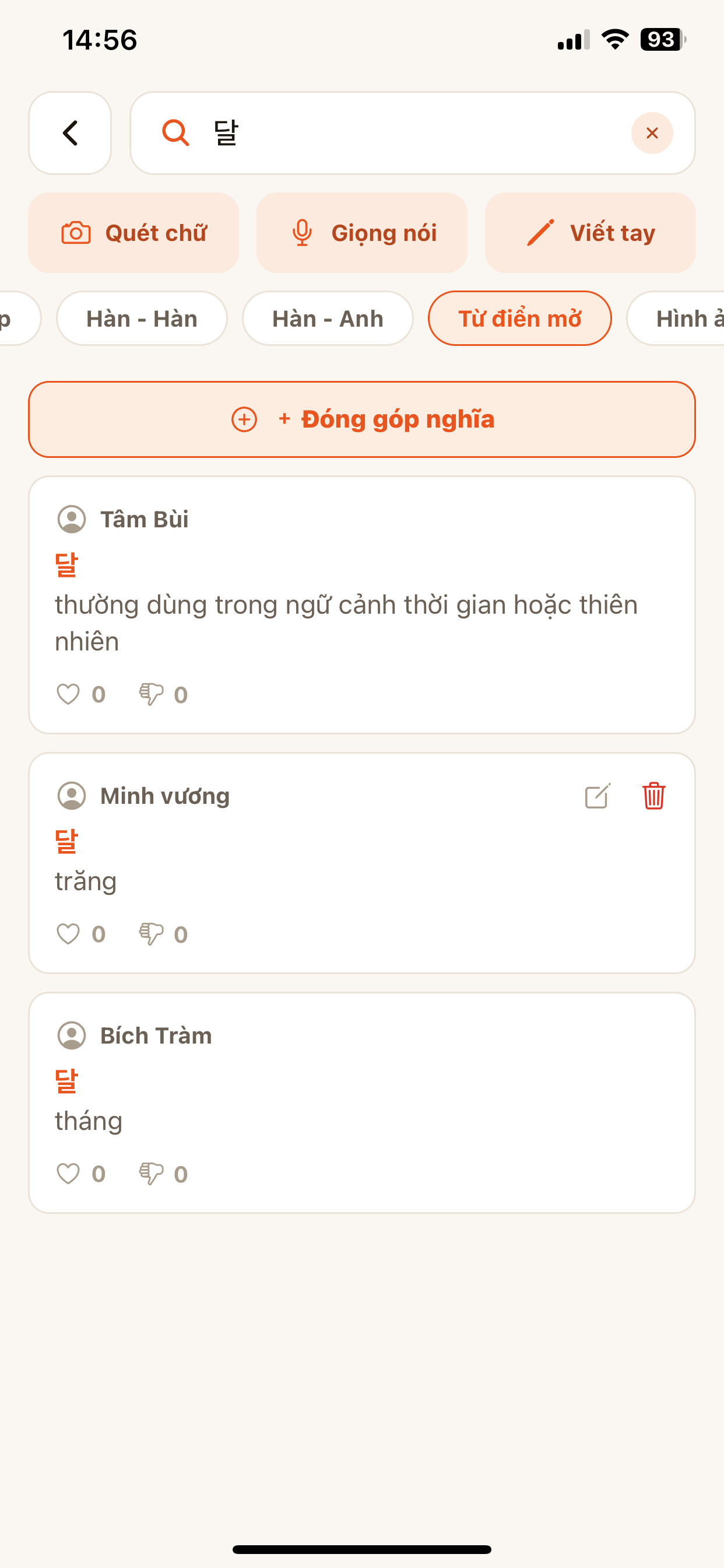
Type a word like 달 and switch tabs to see every angle — no need to open another app.
- Type the word into the search box.
- Switch between Vocabulary · Examples · Grammar · Korean–Korean…
- Tap the speaker to listen, choose a female or male voice.
- Tap Save to notebook to review later.
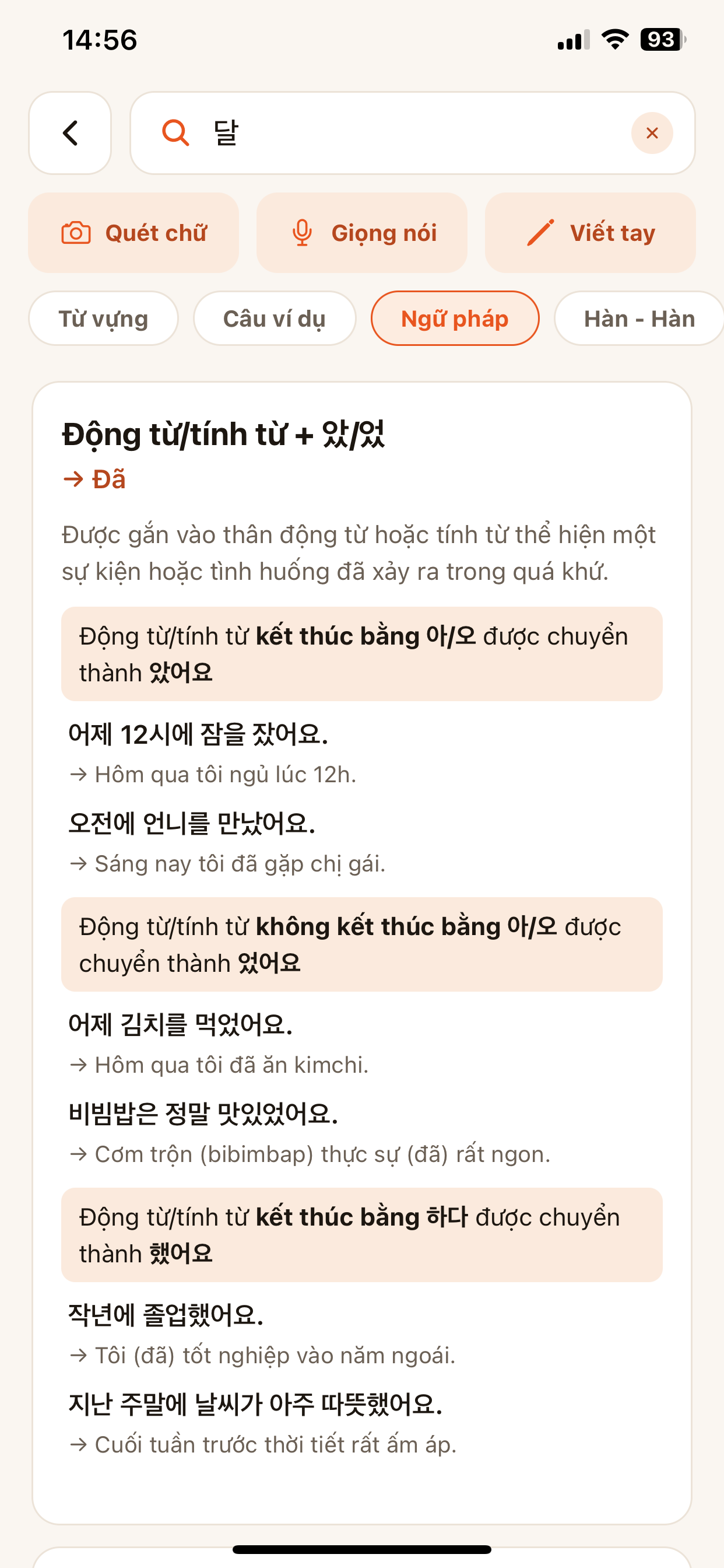
Grammar, Korean–Korean, Korean–English & open dictionary
See usage in context, read the original Korean definition, compare with English and read community-contributed meanings.
- Open the Grammar tab for patterns & usage.
- The Korean–Korean / Korean–English tabs give the original definition and English translation.
- Open dictionary tab: read community meanings, tap + Contribute meaning to add one.
Enter by camera, voice or handwriting
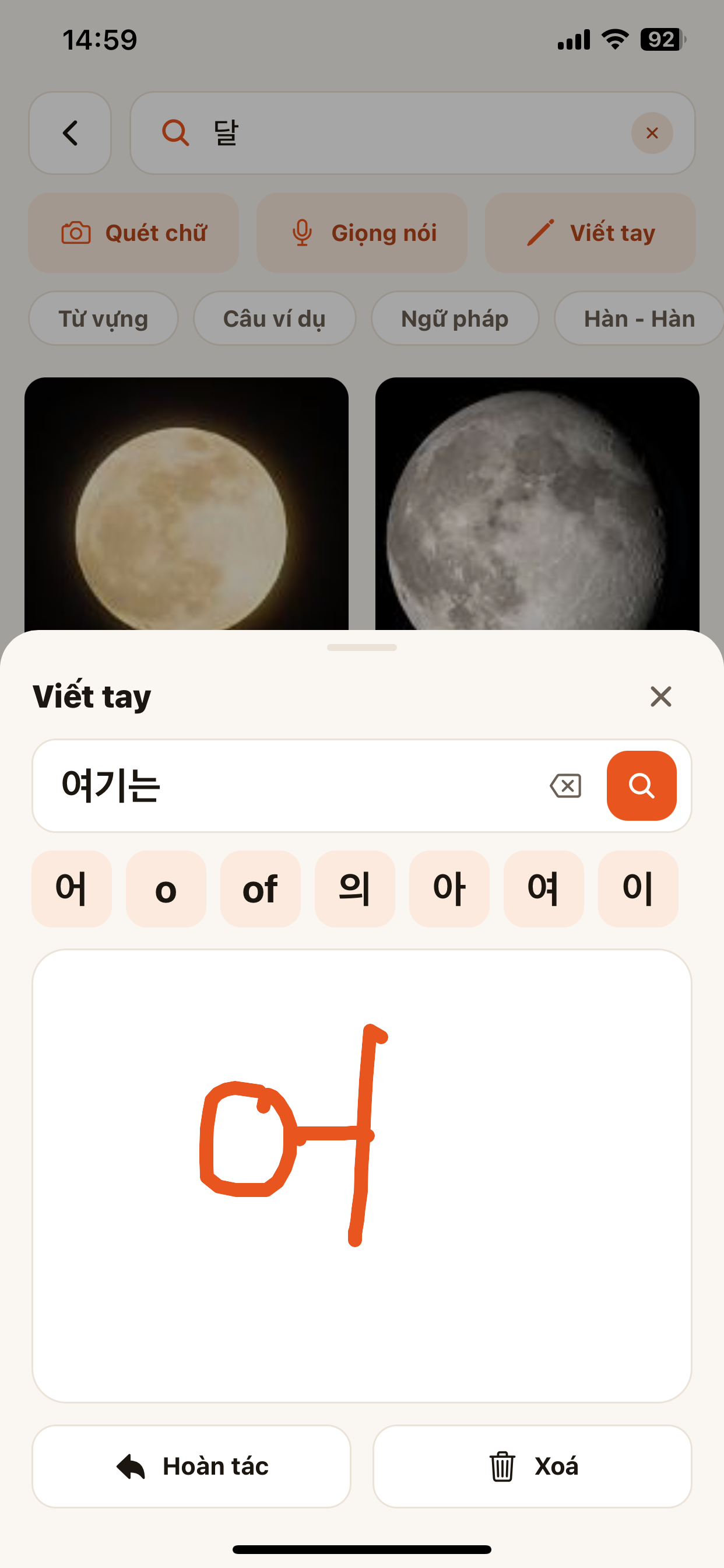
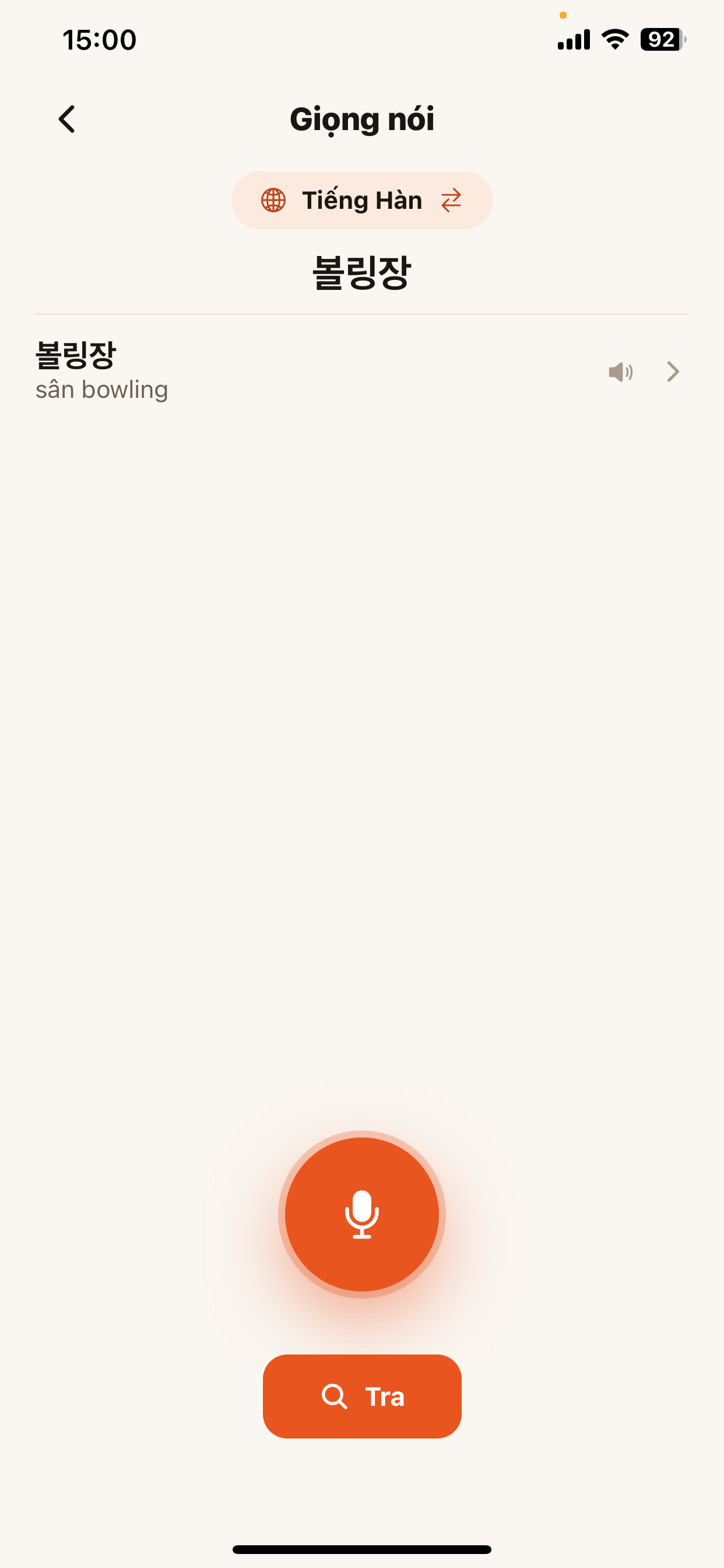
Can’t type Korean? Scan text from a photo, speak it, or write by hand — Jaemy recognizes and looks it up.
- On the lookup page choose Scan · Voice · Handwriting.
- Handwriting: draw each character, the app suggests matching letters to combine.
- Voice: say the Korean word then tap Search.
Write correctly, understand fast
Translate instantly and let the AI check your grammar.
Translate Korean ⇄ Vietnamese, whole paragraphs
Paste or speak a sentence and get the translation with romanization, listen, copy and save — every translation is logged in history.
- Open Translate, pick the language pair (swap with the ⇄ button).
- Type, use the mic, or take a photo to translate.
- Listen, copy or save the translation; revisit it in Translation history.
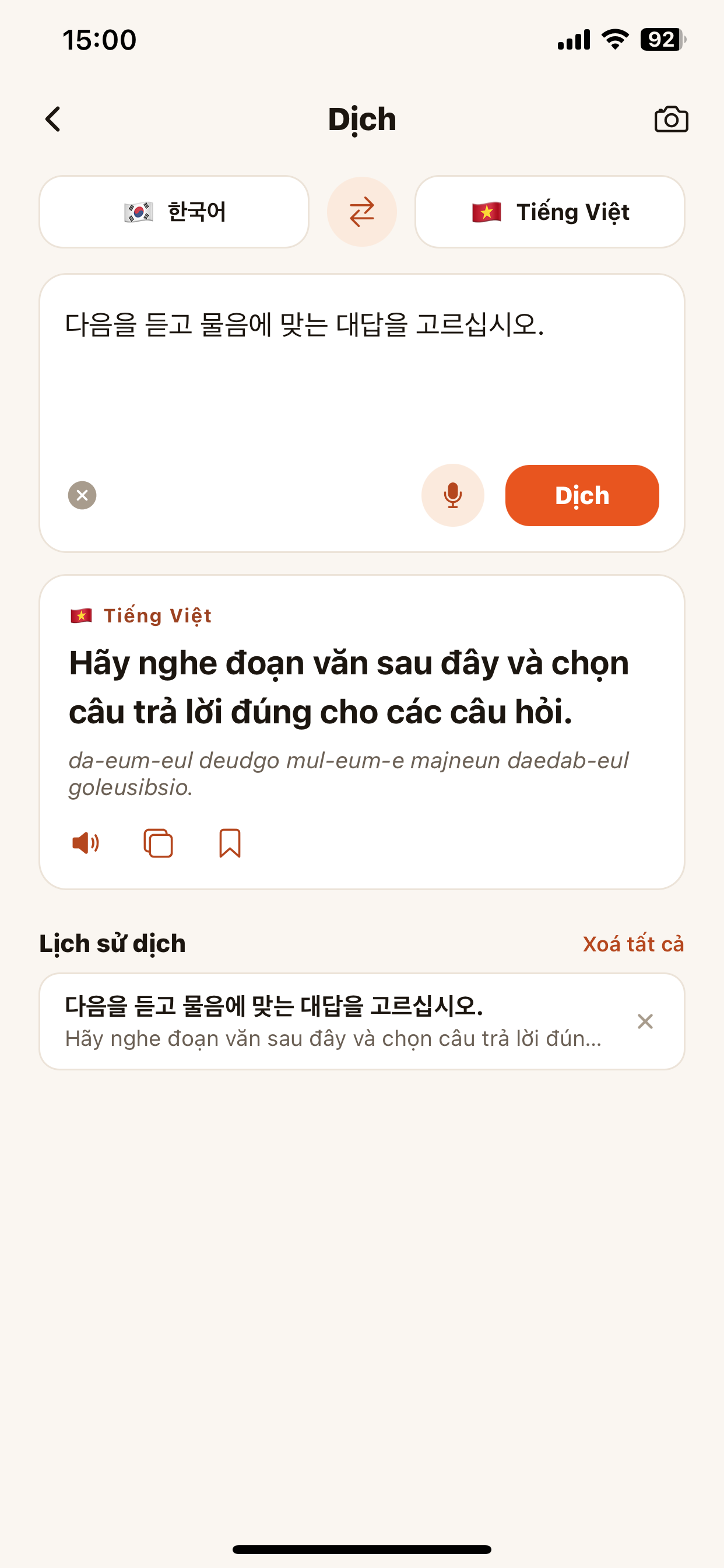
AI grammar checking
Write a Korean sentence and the AI points out mistakes, suggests the corrected sentence and explains why — like a private tutor.
- Open Grammar check, enter a sentence (type, photo, handwriting or voice).
- Tap Check grammar for the AI analysis.
- See highlighted errors, the suggested fix and the explanation.
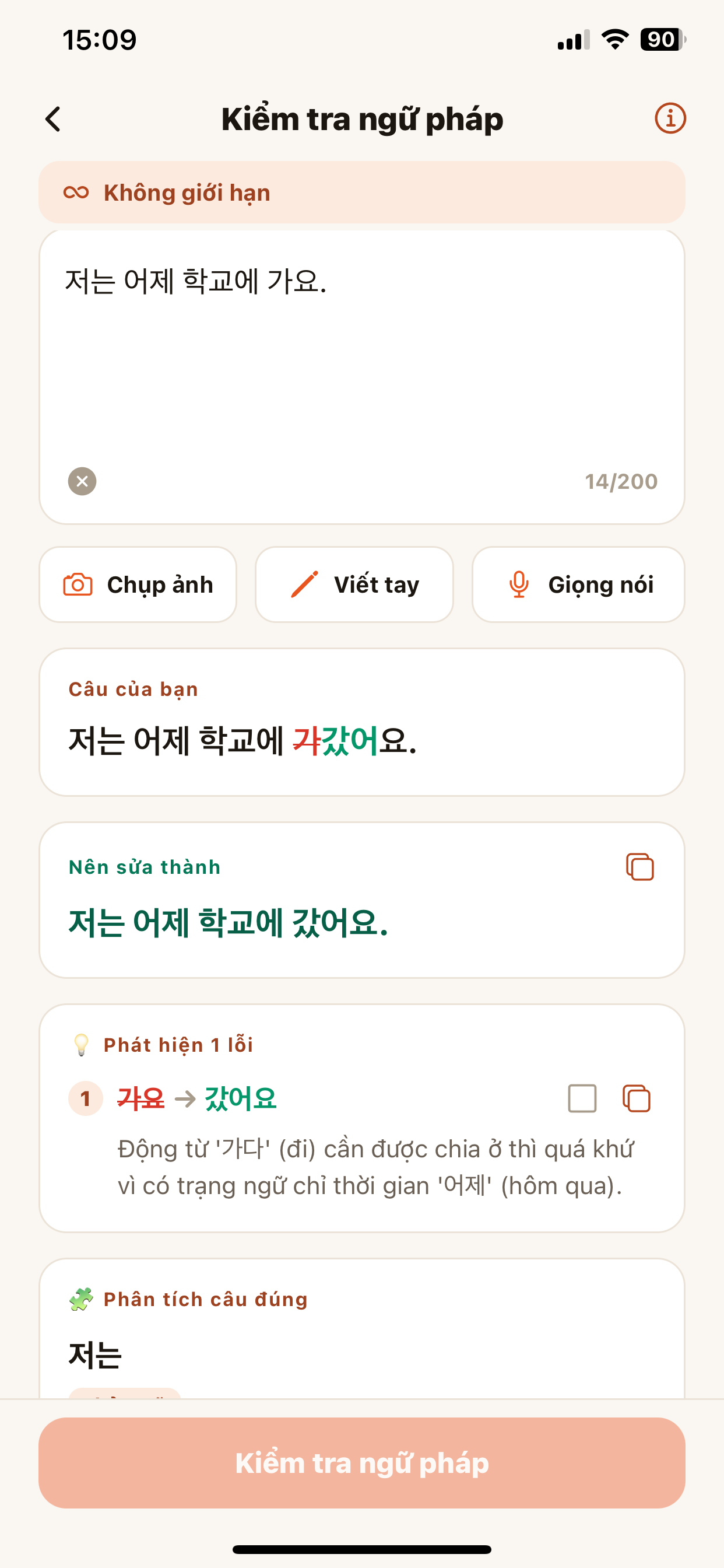
Turn a PDF into a lesson
Open a textbook, an exam or any document and study right on the page.
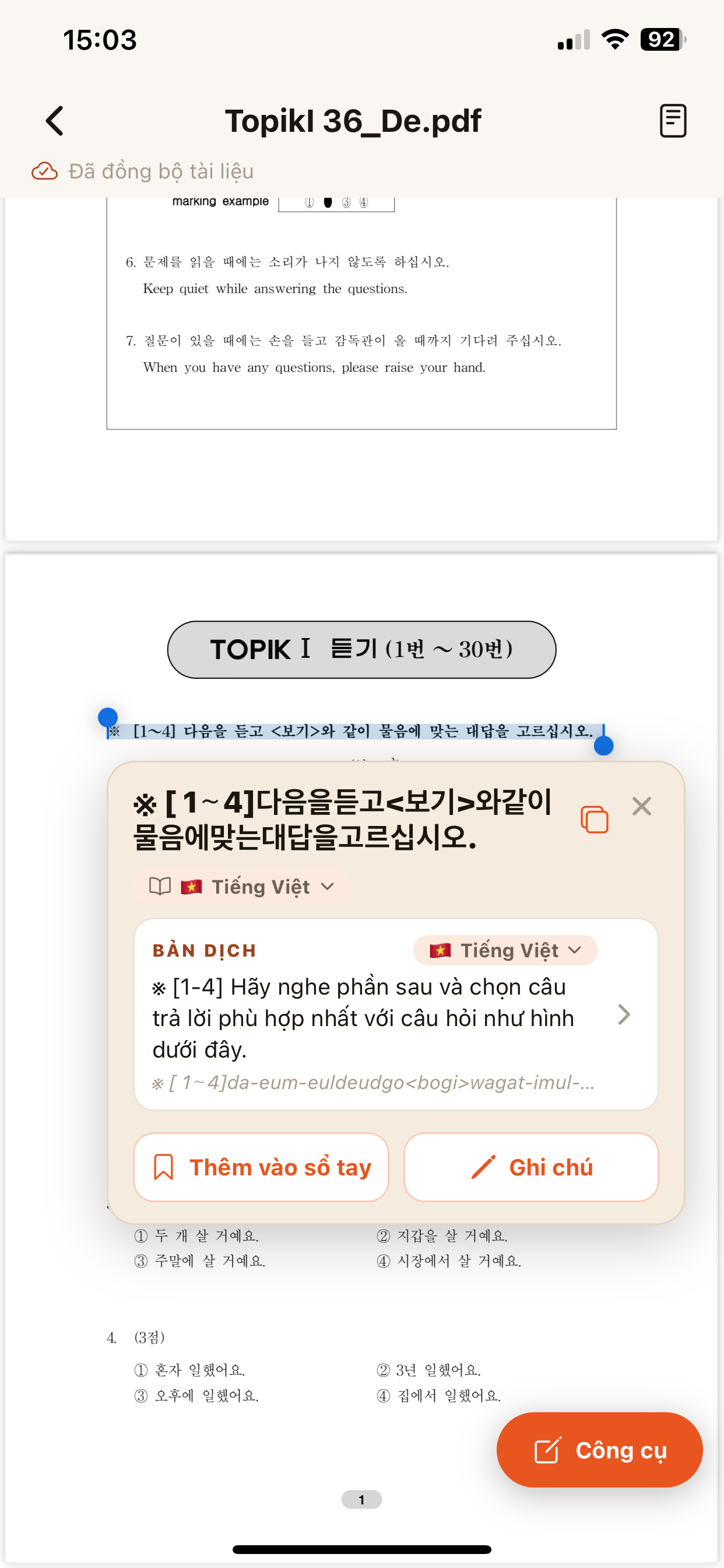
Read PDFs · tap to translate · note · highlight
Select Korean text to see the translation, add to notebook, write notes, highlight and add emoji — documents sync across devices.
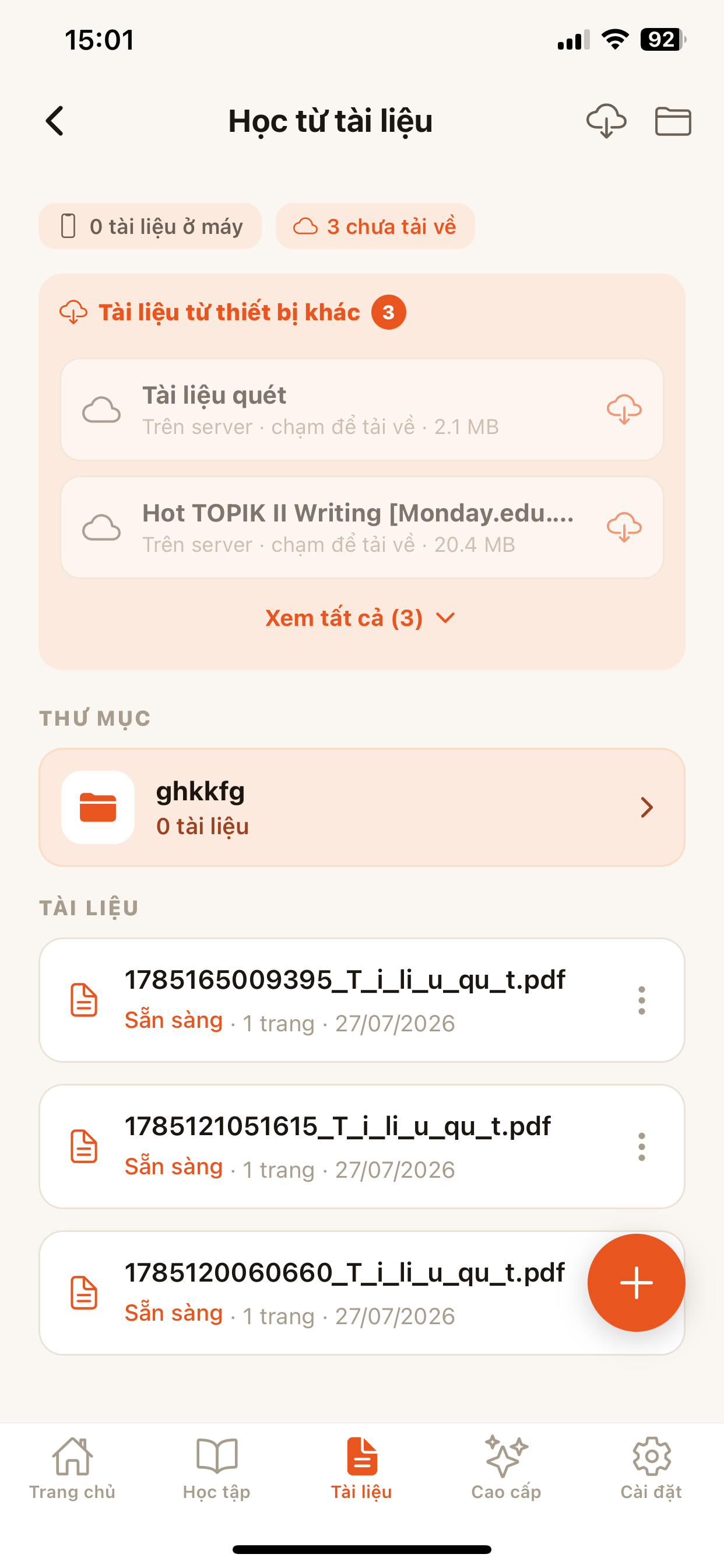
- Go to Documents, upload a PDF or open a synced document.
- Select text → choose translation, Add to notebook or Note.
- Use Tools to highlight, add text or emoji on the page.
Real Korean exposure every day
Take timed TOPIK mock tests and read Korean news at your level.
TOPIK practice like the real exam
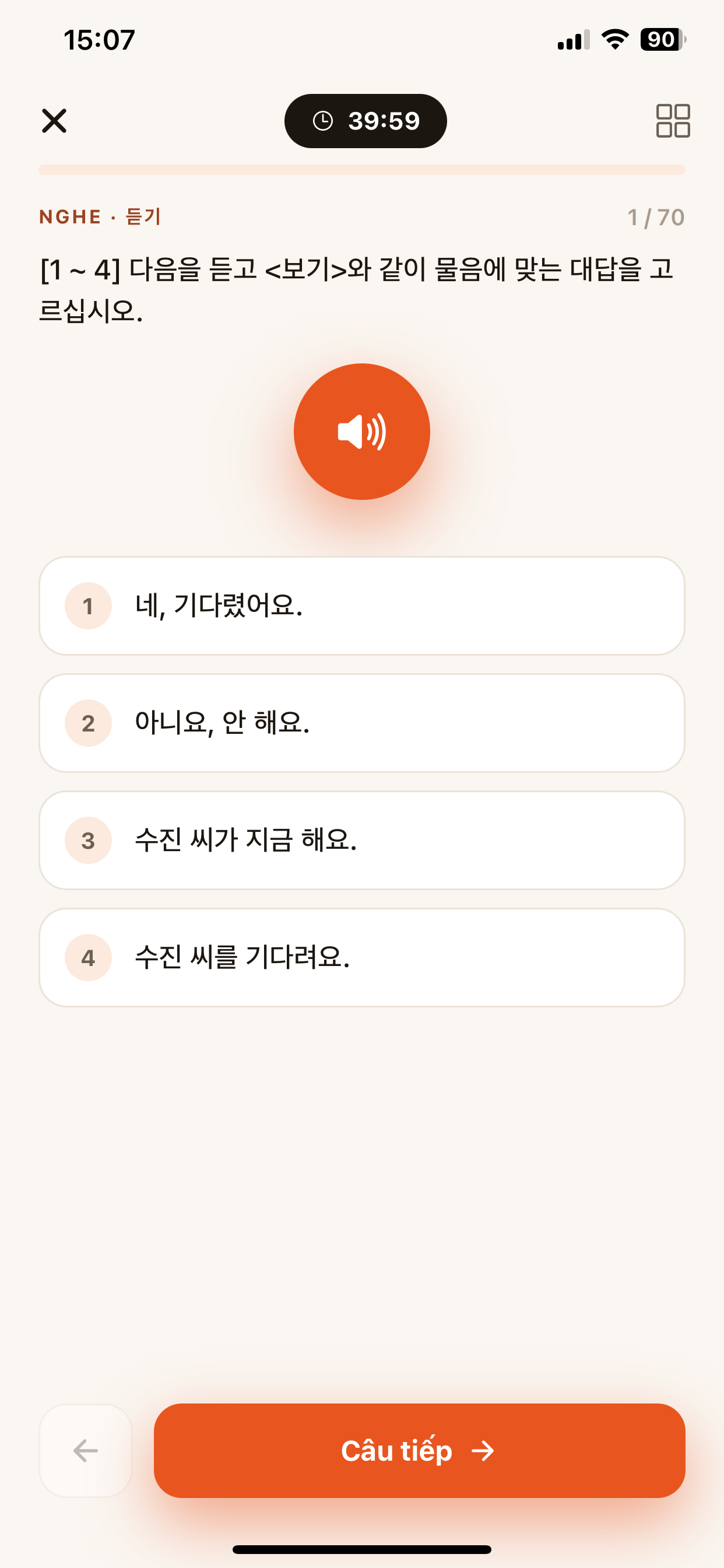
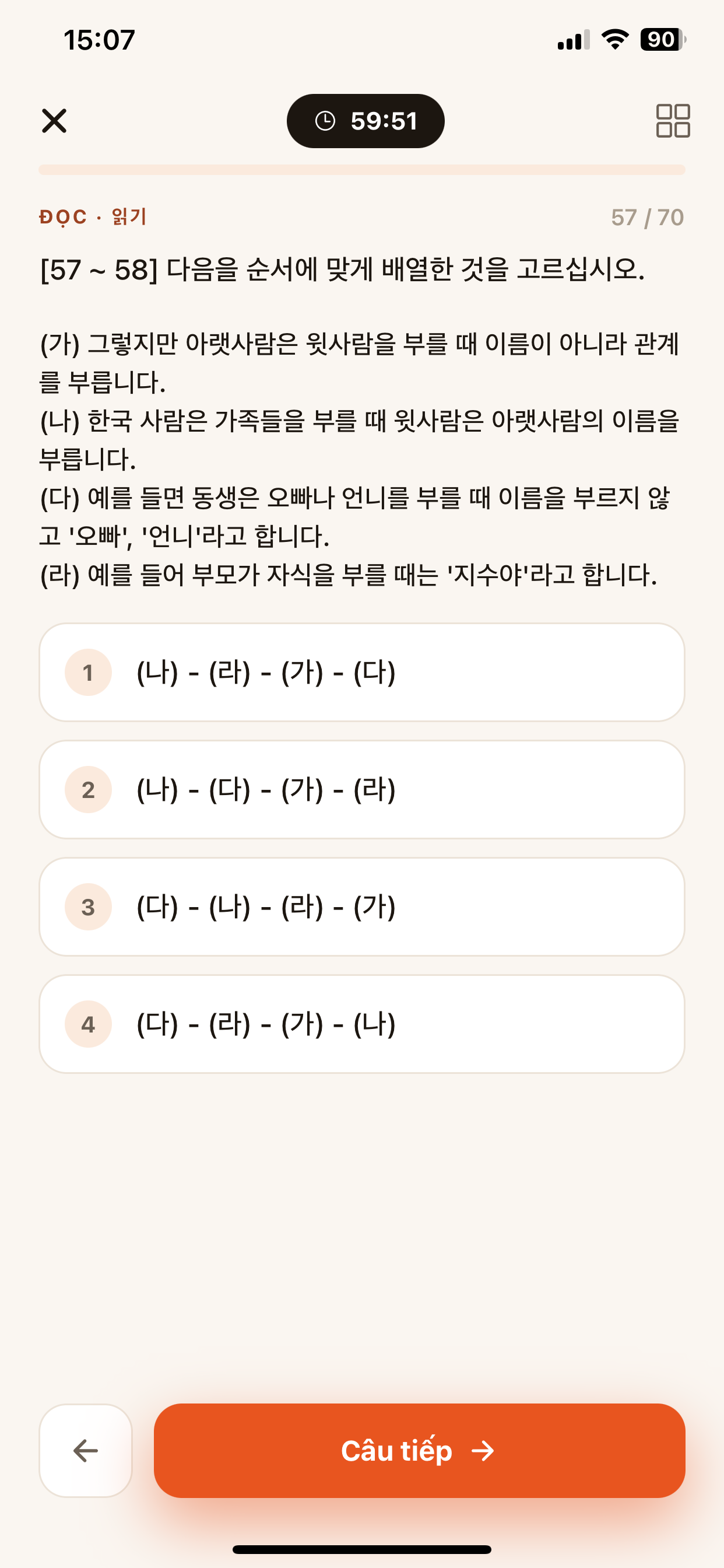
Mock Listening and Reading tests with a countdown timer, answer selection and scoring — get used to exam pressure.
- Open Practice, choose a TOPIK I or II test.
- Listen to the audio, read the passage and pick an answer; watch the timer.
- Tap Next through to the end for your results.
Korean news reader with an assistant
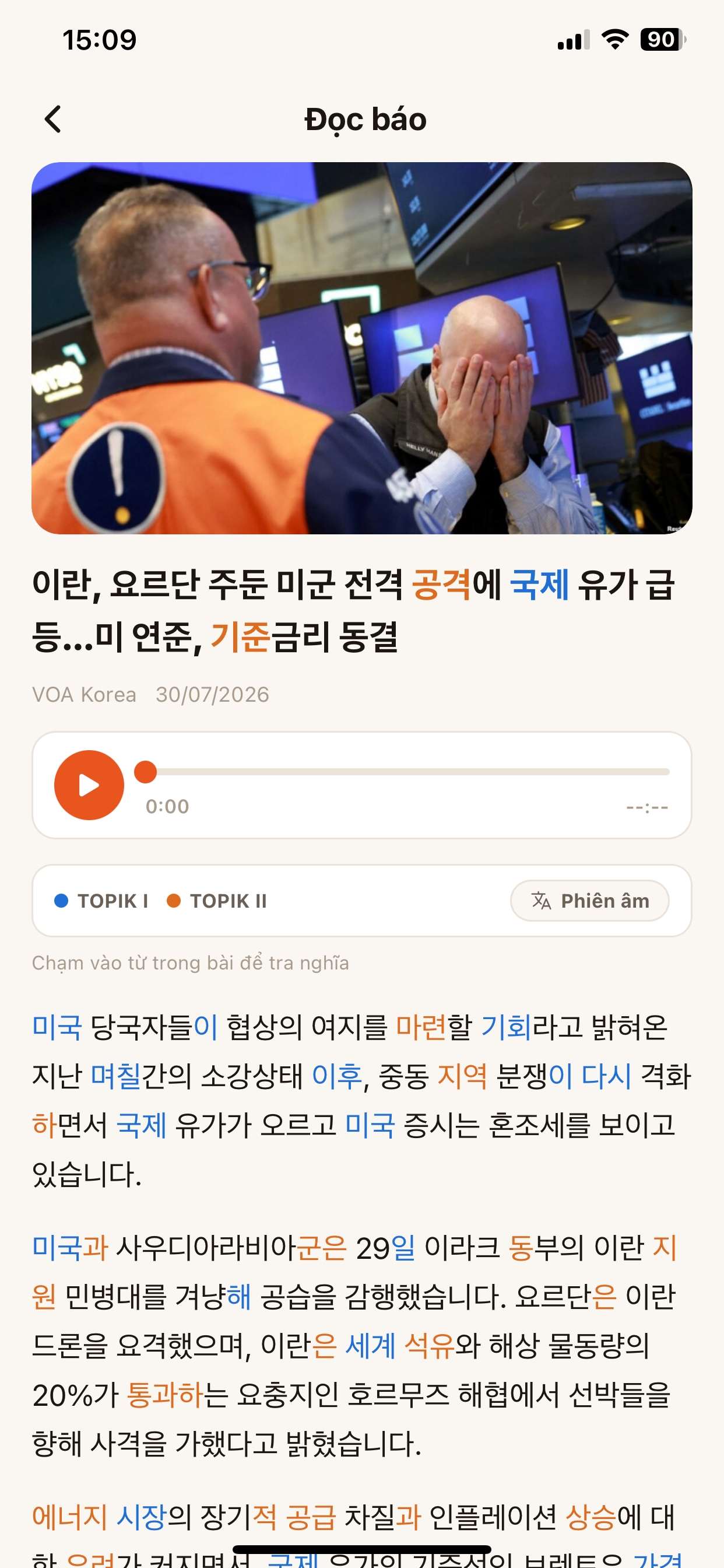
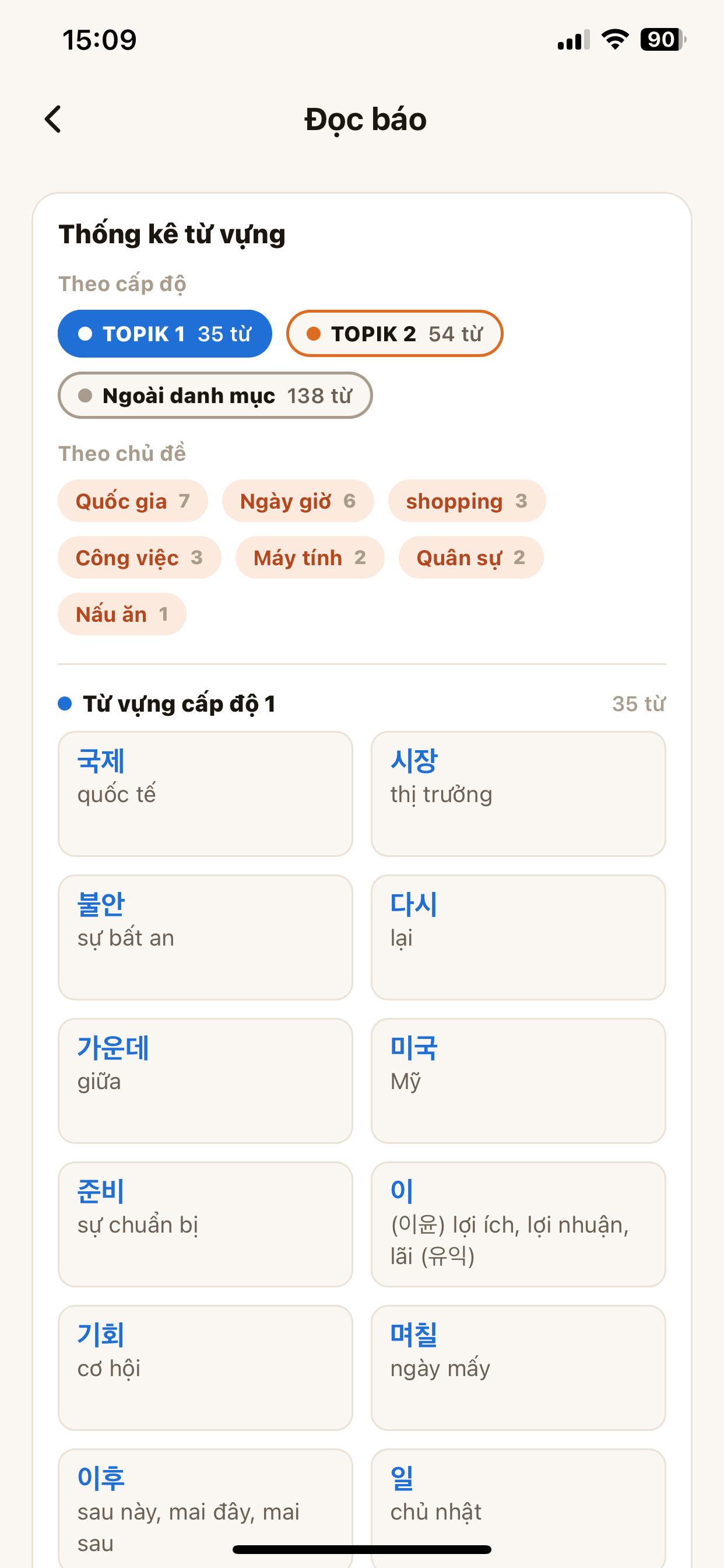
Real articles colored by TOPIK level. Tap a word for a quick lookup, listen to the whole article and see vocabulary stats by topic.
- Open News and choose an article.
- Tap any word to look it up and add it to your notebook.
- Tap ▶️ to listen; view Vocabulary stats by level & topic.
Courses, Flashcards, Grammar & Conjugation
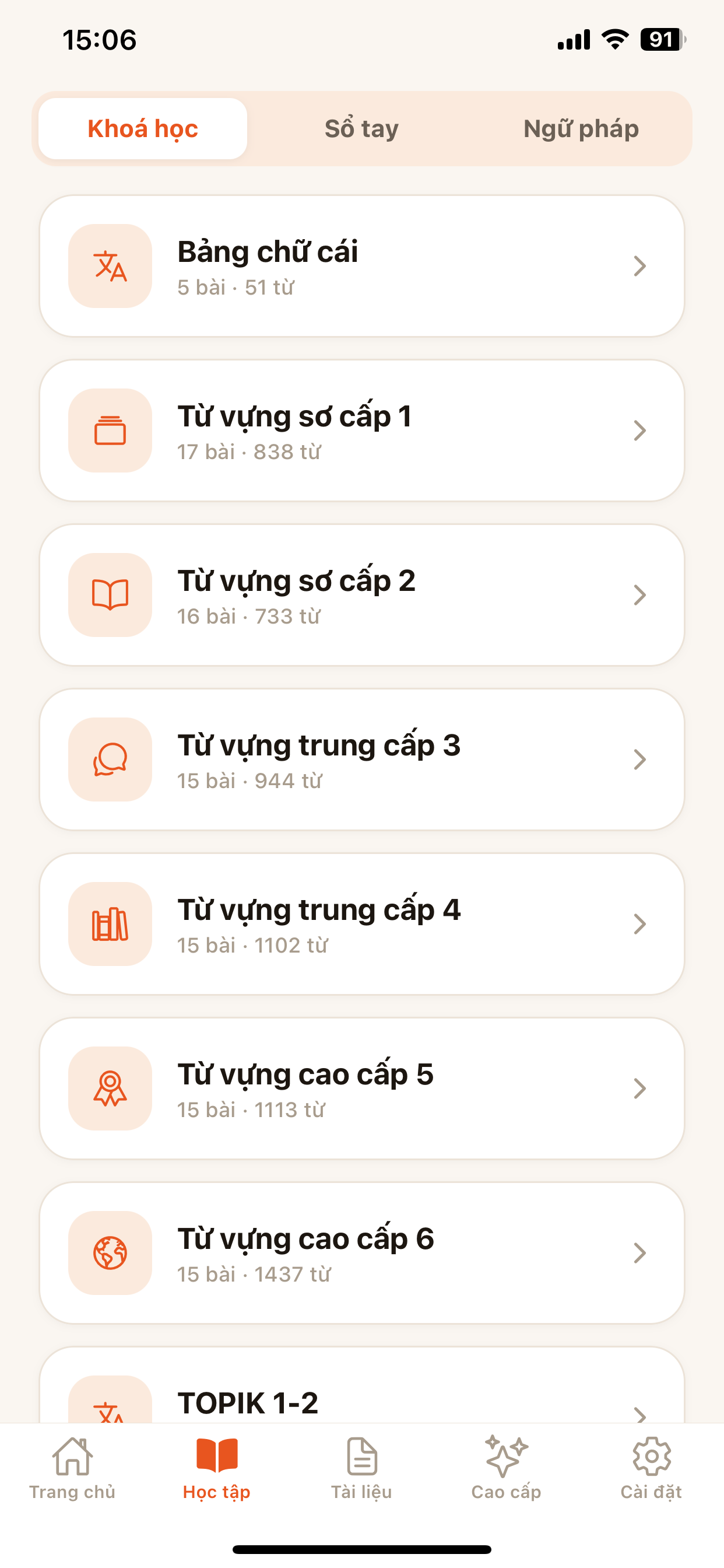
Go from the alphabet to advanced level 6, remember longer with spaced repetition.
Courses by level & SRS flashcards
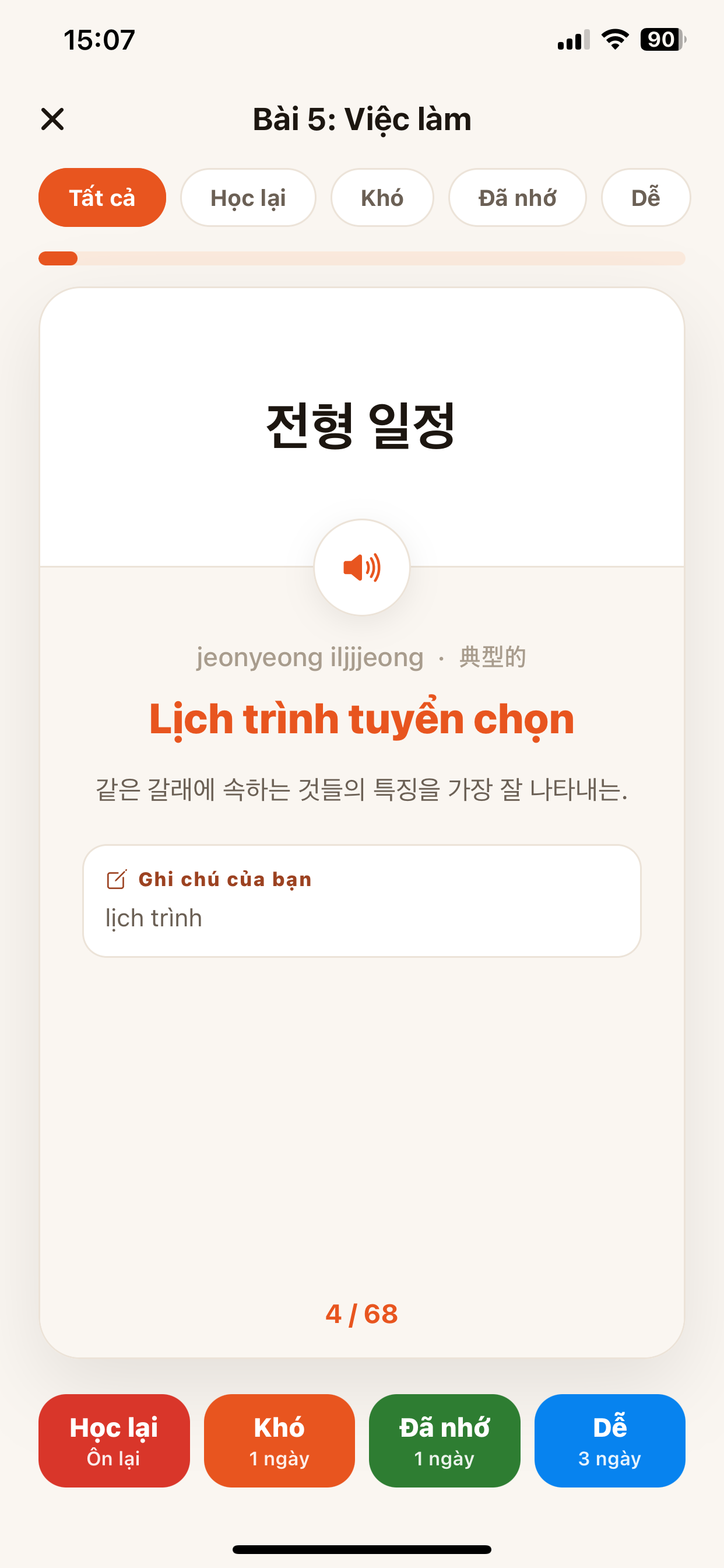
Vocabulary split by level (beginner → advanced, TOPIK) with audio. Review with flashcards using 4 grades Relearn · Hard · Known · Easy so the schedule self-optimizes.
- Go to Learning → Courses, pick a level and lesson.
- Listen to the whole lesson or word by word; tap Review to open flashcards.
- Flip the card, self-grade Known / Hard… to schedule reviews.
Grammar & Verb conjugation
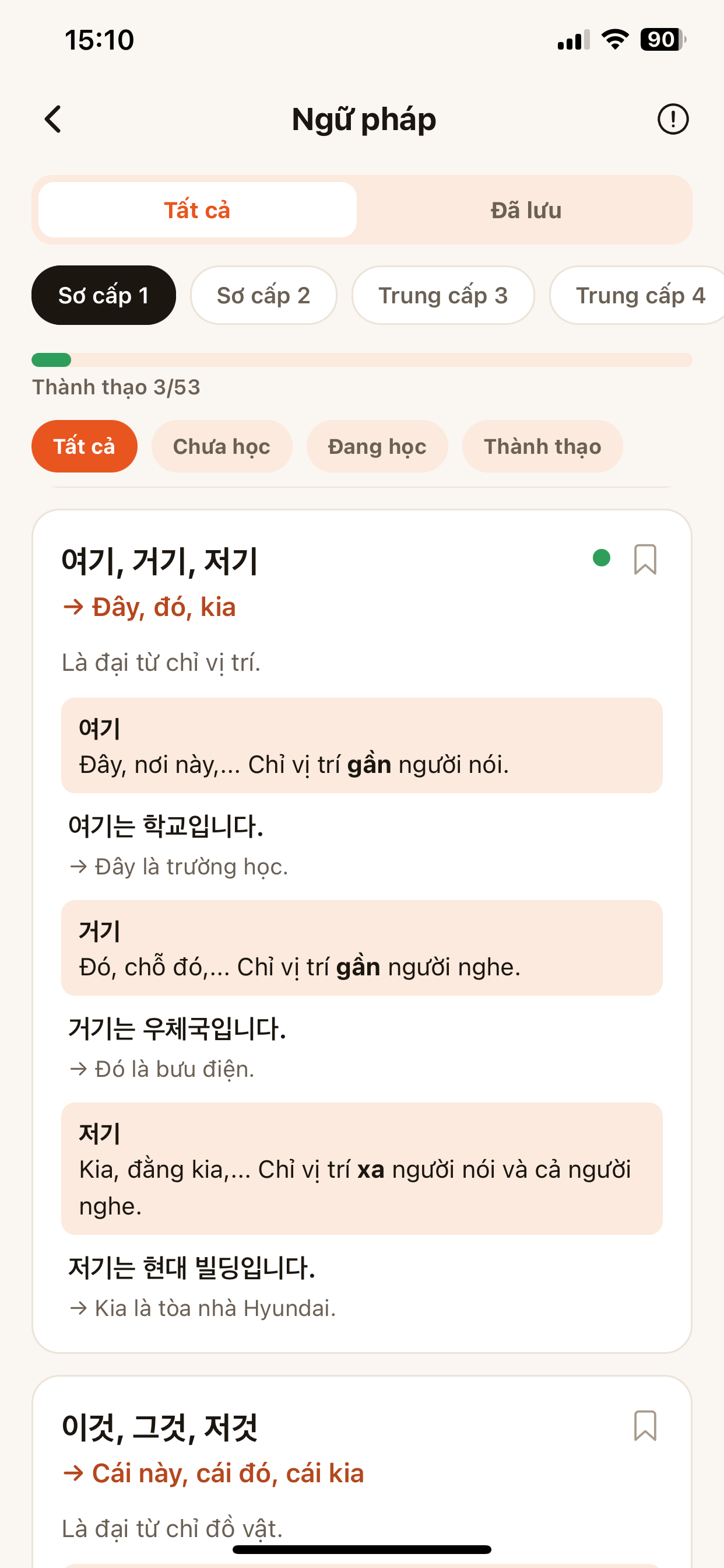
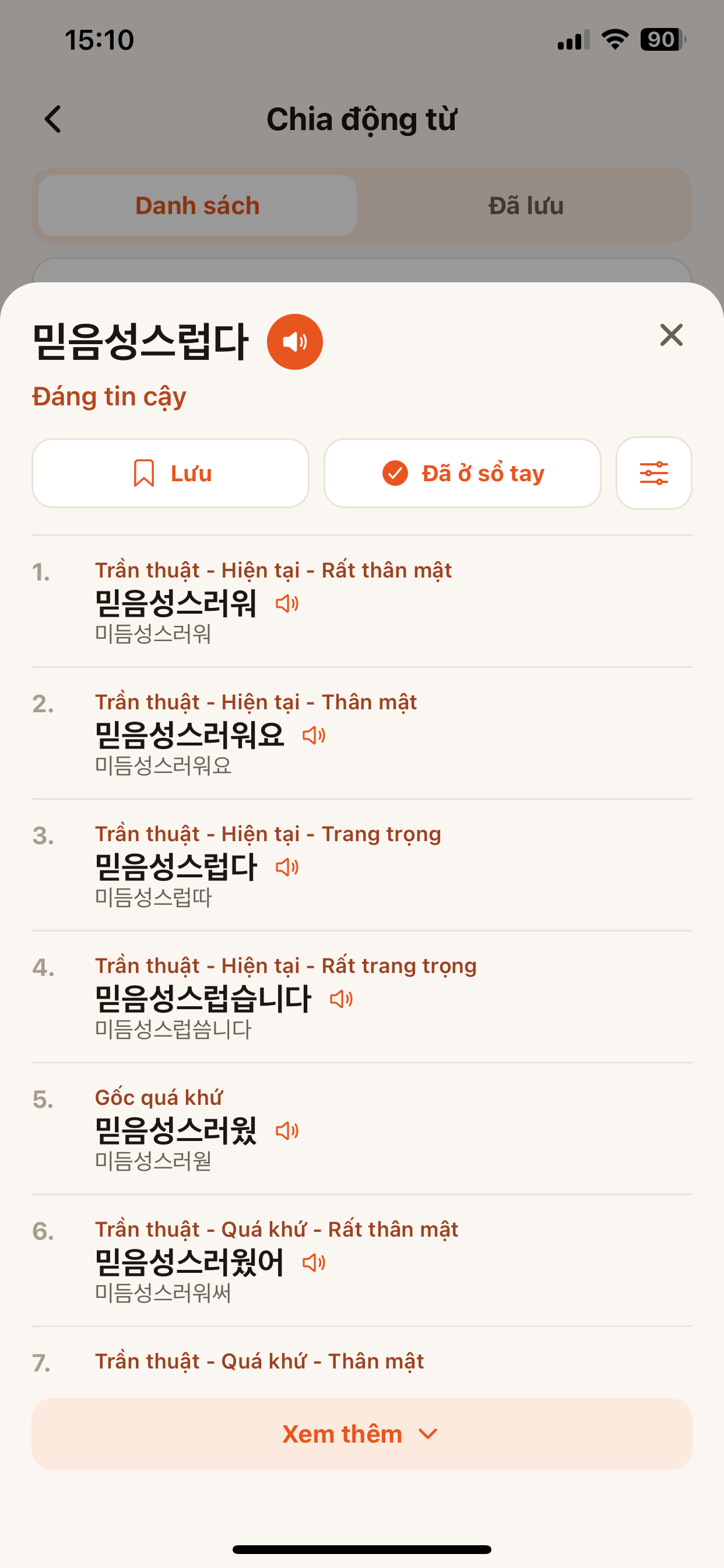
Learn grammar patterns by level, mark them Mastered, add notes. Look up the full verb conjugation table across tenses and politeness levels, with audio.
- Open Grammar, filter by level and learning status.
- Open Conjugation, enter a verb to see every form.
- Tap Save or Add to notebook to review.
Notebook, History & Community
Save everything you learn and progress together with others.
Notebook & History — cloud synced
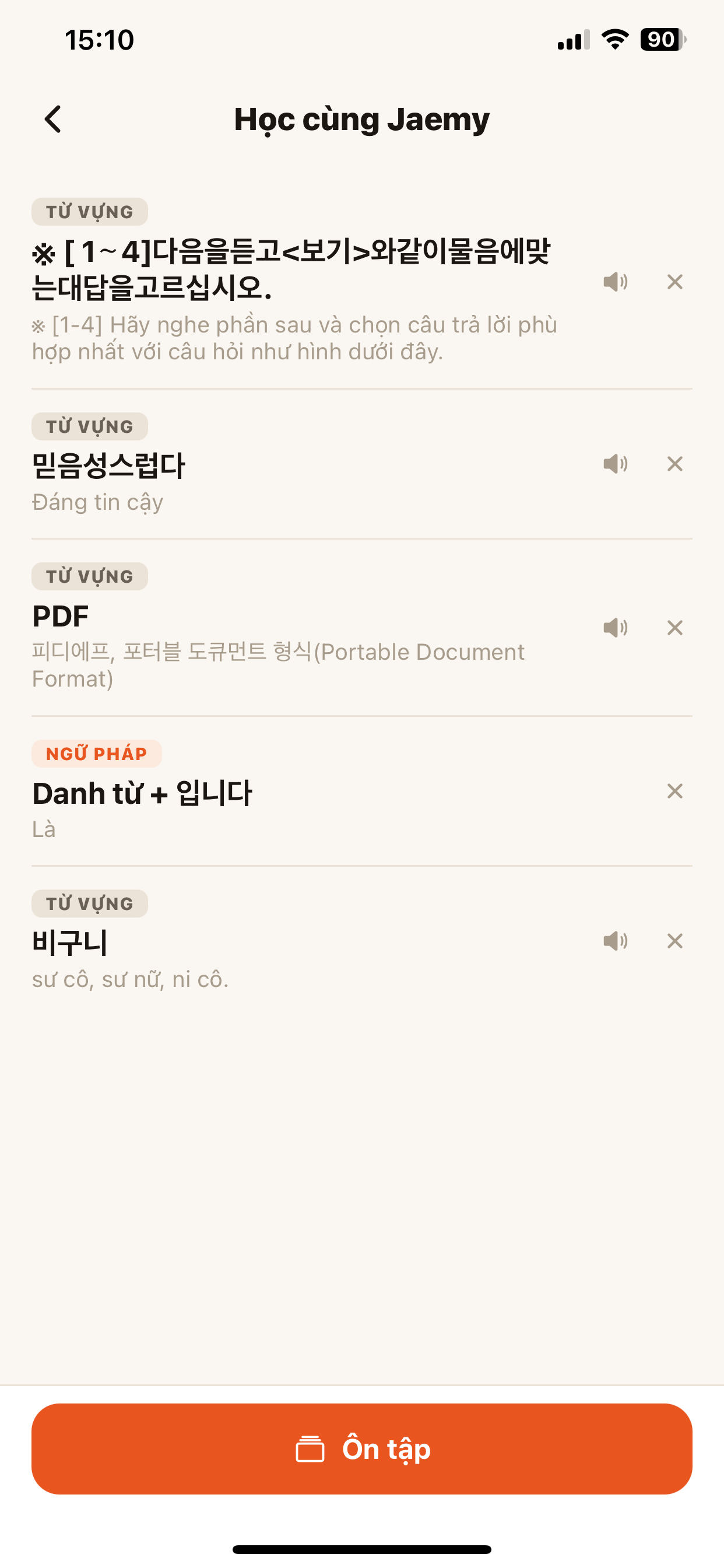
Every saved word and every lookup gathered in one place, sorted by category and date, synced across devices. Tap Review to study again.
- Save words while looking up, reading news or inside a PDF.
- Open Notebook to view by category; revisit lookups in History.
- Tap Review to turn items into flashcards.
A community of Korean learners
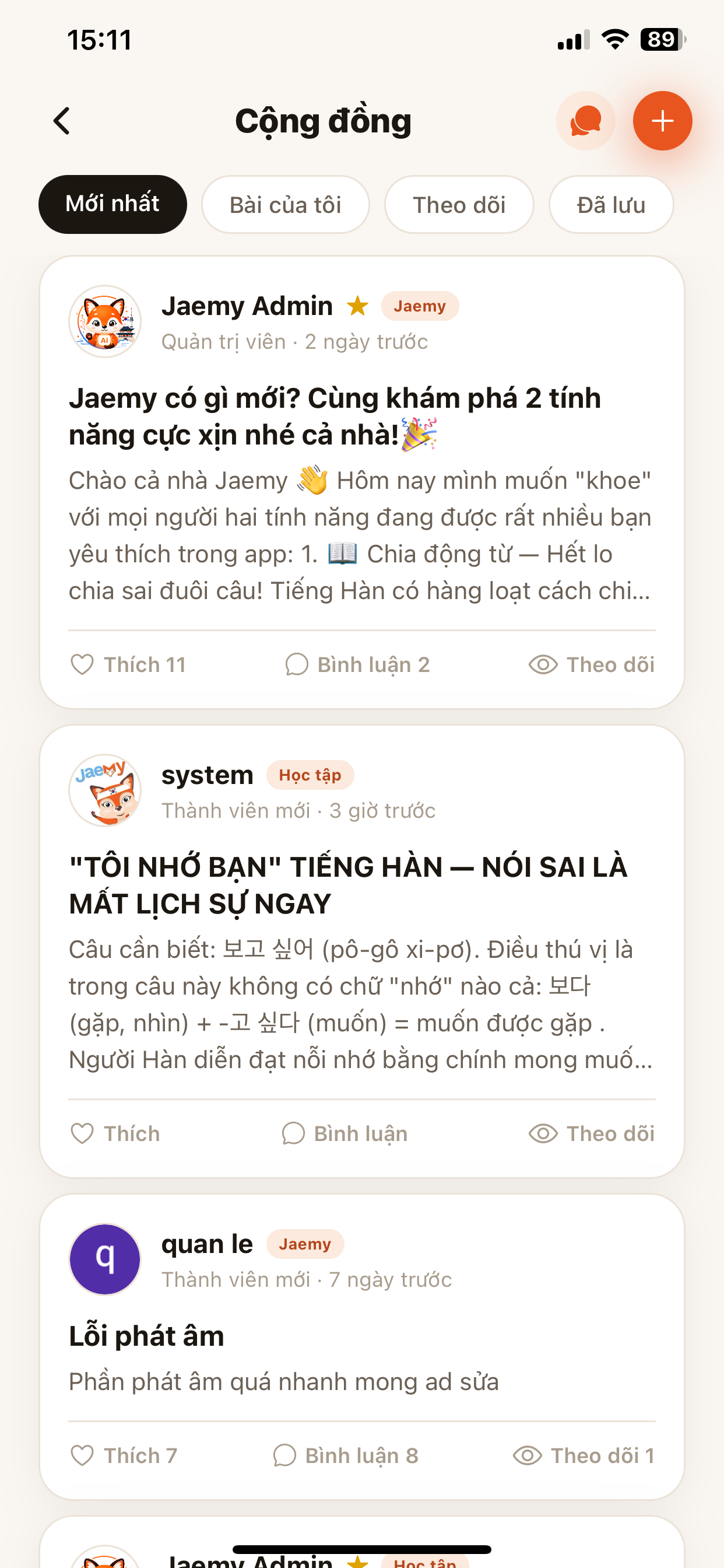
Read study tips, post questions, like and comment, follow members and chat — public content is visible even without signing in.
- Open Community, browse Latest or your follows.
- Tap ➕ to post, ask a question or share a tip.
- Like, comment and follow to get relevant content.
Ready to learn Korean with Jaemy?
Look things up on the web now, or download the app to use every feature.